
Now you can use TI-83 Calculator Online simulator tool without downloading on your web browser for FREE.
TI83 graphing calculator online is a powerful virtual tool that lets you solve math problems, draw graphs, and perform advanced calculations directly in your browser. It works like the original Texas Instruments TI-83 graphing calculator, but you don’t need to buy a physical device.
Whether you are a student, teacher, or someone preparing for exams, this online TI83 graphing calculator makes complex math simple and accessible.
The TI-83 Calculator Online is a web-based emulator that replicates the functionality of the original TI-83/TI-83 Plus graphing calculator by Texas Instruments. It offers complete and free access to features such as graphing, algebra, calculus, statistics, data visualization, and matrix calculations. Users can perform advanced mathematical operations directly within their web browser on both desktop and mobile devices, without needing physical hardware.
It looks and functions like the real handheld calculator but runs on your computer, tablet, or mobile device.
The original TI-83 graphing calculator was introduced in the 1990s and quickly became popular in schools and colleges. Later, upgraded versions like the TI-83 Plus and TI-83 Plus Silver Edition added more memory and improved features.
Over time, graphing calculators became a standard requirement in high school and college math classes.
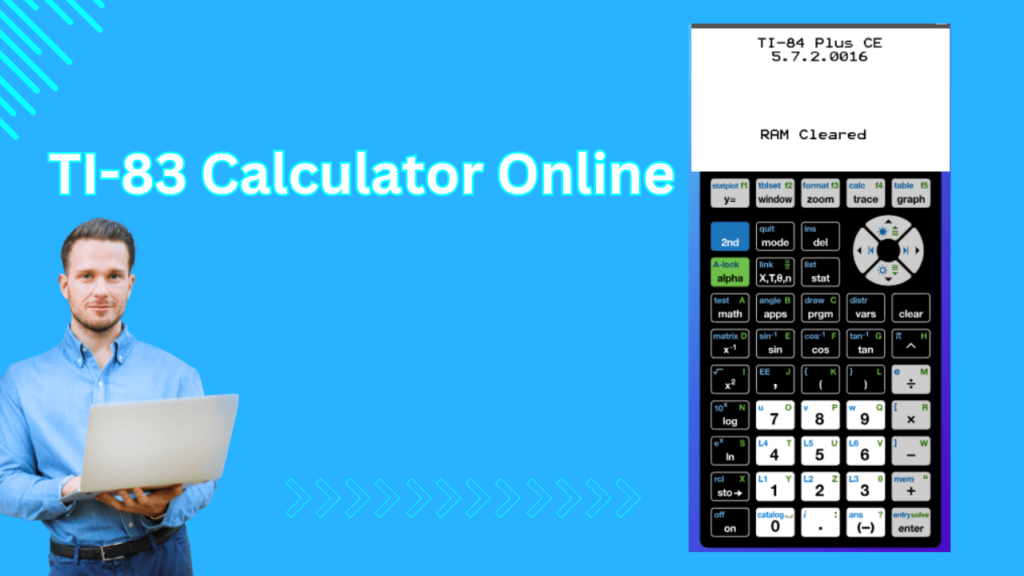
The graphing calculator TI83 can:
It is much more powerful than a regular scientific calculator.
The free TI83 graphing calculator online is perfect for:
Anyone who needs a reliable graphing calculator can use it.
Yes. This graphing calculator, the TI83 online free version, is completely free to use. No download. No installation. No account required.
The virtual TI-83 calculator gives you almost all the features of the original graphing calculator, but you can use it on your computer or mobile phone. It can solve equations, draw graphs, perform matrix calculations, and handle statistics just like the real device.
One of the biggest advantages is that you don’t need to buy an expensive physical calculator. It saves money and is easy to access online. It is also portable, meaning you can use it anytime and anywhere without carrying an extra device.
The virtual calculator supports algebra, calculus, and statistics. You can graph more than 10 functions at the same time, analyze data, and solve different types of equations quickly and accurately.
Instead of purchasing a costly physical calculator, students can use the virtual version for free or at a much lower cost. This makes it a budget-friendly option for learning and exam preparation.
It helps students understand concepts more clearly by allowing them to see graphs and tables together using split-screen mode. It also includes multiple zoom options (up to 14 interactive zoom features) to examine graphs in detail.
You can access the calculator from a laptop, desktop, or smartphone. There is no need to carry a separate calculator, which makes it very convenient for students and teachers.
The virtual TI-83 supports basic programming functions and can work with data collection tools. Unlike the physical calculator, its memory depends on your computer, giving you more storage flexibility.
It is very useful in classrooms because teachers can easily display it on a projector and explain concepts step by step. Screen sharing also makes online learning easier and more interactive.
The TI-83 online calculator is a web-based simulation of the well-known handheld graphing calculator, delivering strong capabilities for algebra, statistics, and calculus. It provides high precision with 14-digit accuracy, allows graphing of up to 10 functions, supports 6 polar and 6 parametric equations, and includes advanced statistical tools such as hypothesis testing and regression analysis. It also offers matrix operations, all within a familiar and easy-to-use interface similar to the physical device.
Graphing Functions:
Overall, the TI-83 online calculator serves as a comprehensive solution for students and educators who need advanced calculations, graphing, and data visualization capabilities without requiring the physical calculator itself.
The TI-83 Plus is a popular graphing calculator, but it has some limitations compared to newer models. It uses an older processor, has limited memory, and does not support some modern mathematical features. Because of this, it may not be the best choice for advanced or complex calculations.
The TI-83 Plus does not show fractions, roots, or exponents in textbook format. All expressions appear in a single line, which can make equations harder to read.
It has a slower processor and smaller memory than newer models. Complex calculations may take longer, and storage space for apps is limited.
The screen quality is basic and not very sharp. Graphs and numbers may look less clear compared to modern calculators.
The calculator does not have a built-in Computer Algebra System (CAS). It cannot perform advanced symbolic calculations automatically.
Older units may develop display problems over time, such as vertical lines on the screen due to aging connections.
Using the TI83 graphing calculator online free is simple.
Visit the website and launch the calculator in your browser.
Click the on-screen buttons just like the real TI-83.
You can also use your keyboard for faster input.
Switch between:
Choose the mode based on your problem.
The display screen shows the output clearly.
You can scroll, edit, or re-enter values easily.
Press the graph button to view your function visually.
You can zoom, trace, and analyze the graph step by step.
Unlike buying a physical calculator, this free TI83 graphing calculator online costs nothing.
Everything runs in your browser. No software setup needed.
It works on:
It quickly solves equations that would take long by hand.
Teachers can demonstrate graphs live.
Students can practise anytime.
Online versions are updated regularly, so you get smooth performance.
The TI83 plus graphing calculator is widely used in many subjects.
Solve equations, graph lines, and understand functions easily.
Switch between radians and degrees and graph trig functions.
Find derivatives, integrals, and analyze curves.
Enter data lists and run statistical analysis.
Graph motion equations and analyze scientific data.
Calculate interest and financial growth models.
The TI-83 series is commonly used in exams like:
Always check official exam rules before using any calculator.
Yes, it is completely free and does not require registration.
Yes. You can graph linear, quadratic, trigonometric, and other functions easily.
Yes. The graphing calculator TI-83 online works on most modern smartphones and tablets.
Physical TI-83 calculators are generally allowed in exams like the SAT and ACT, but online versions are not allowed inside exam halls.
The TI-84 Plus has more memory, faster processing, and additional features compared to the TI-83 series.
No account is needed. You can start using it instantly.